Start with the day
Dashboard brings gross sales, sales count, estimated profit, and low-stock signals together.
 Kambal Tingi
 is a simple sales and inventory app for small shops that sell by piece, weight, or customer budget. Record the handoff, keep stock visible, read the day, and stay close to the work even when the connection is unreliable.
Available on the App Store and Google Play
See the real app move through one calm story: start with the day, make the sale, let stock follow, and come back to the numbers that matter.
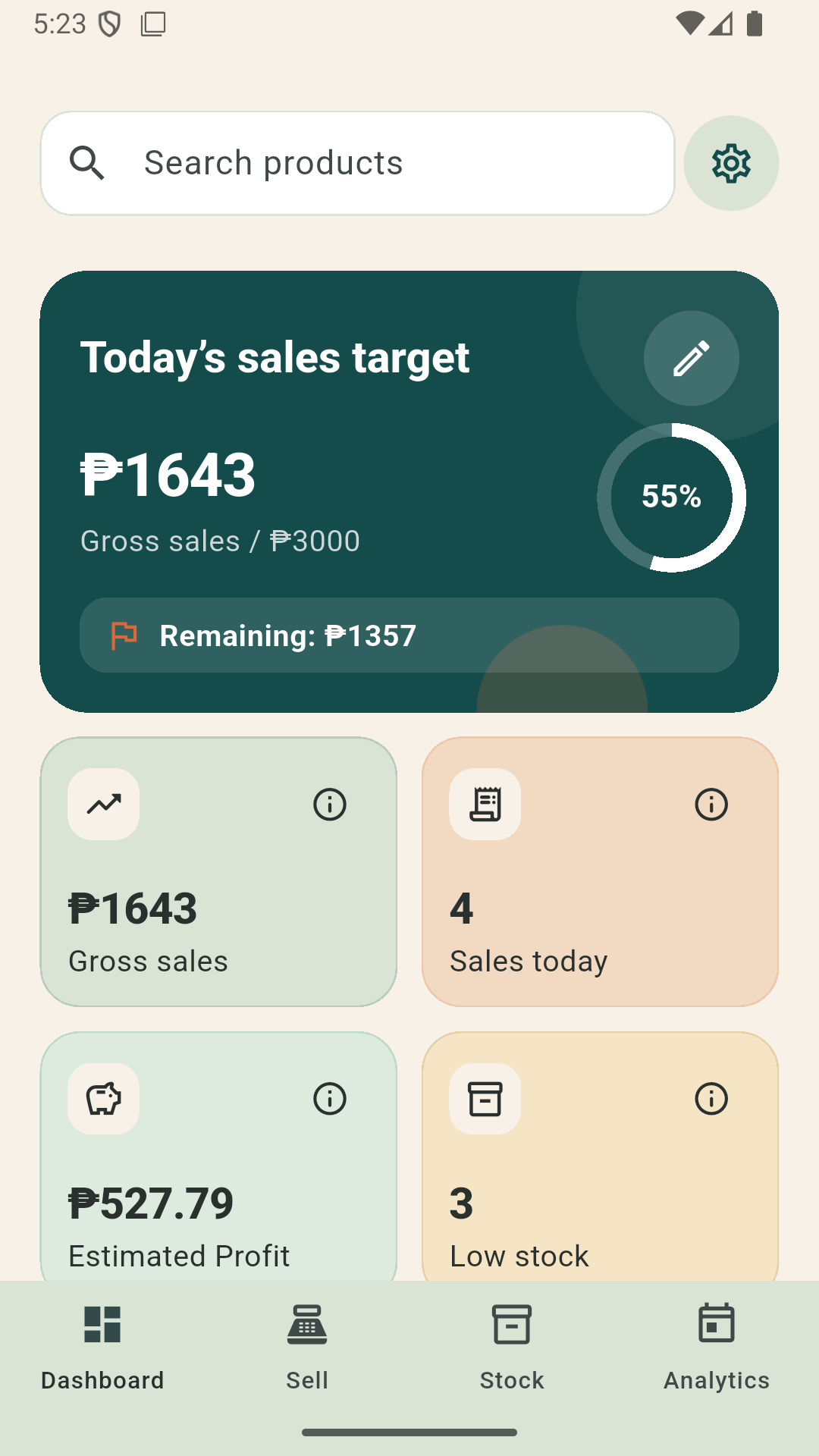
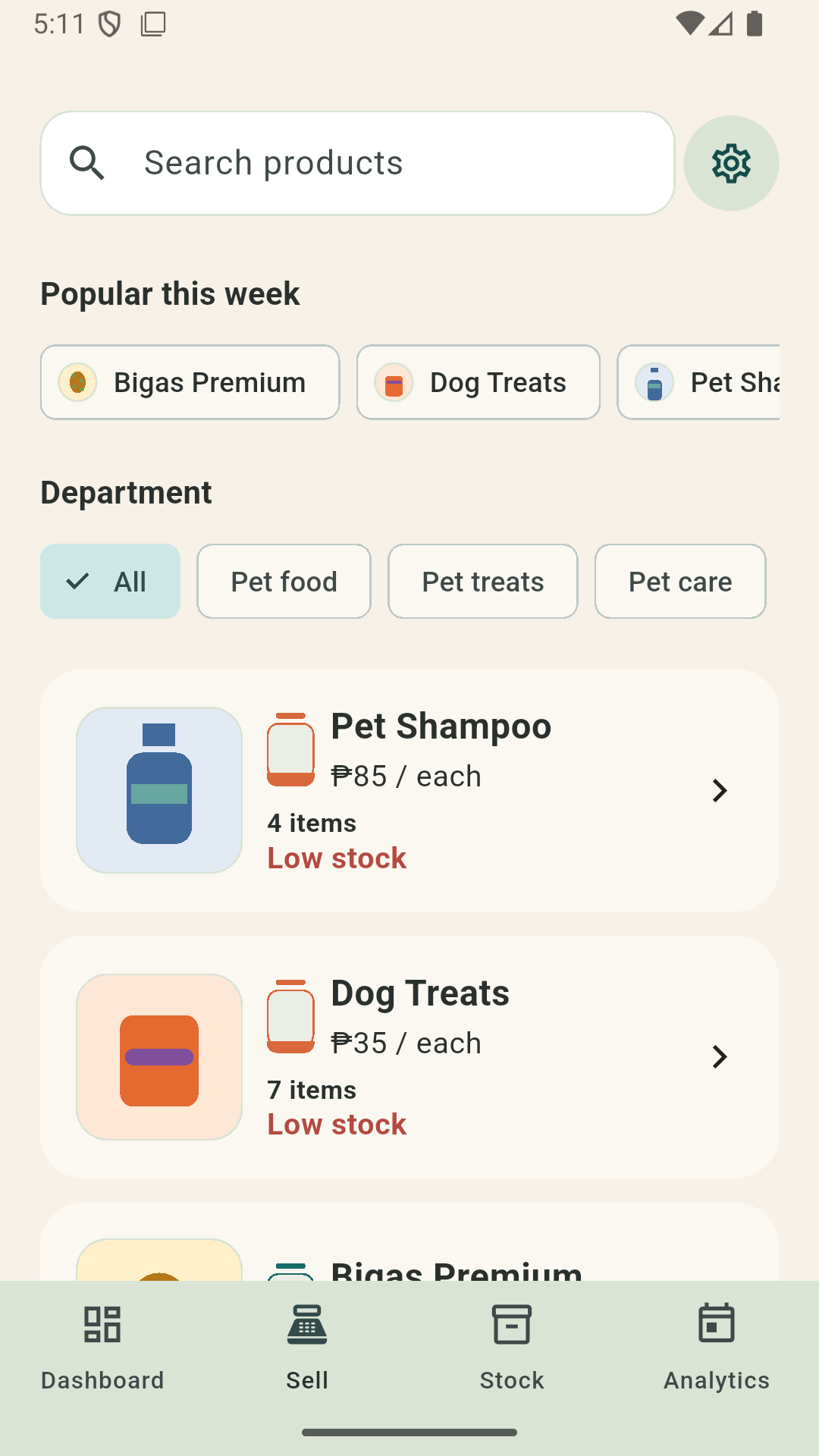
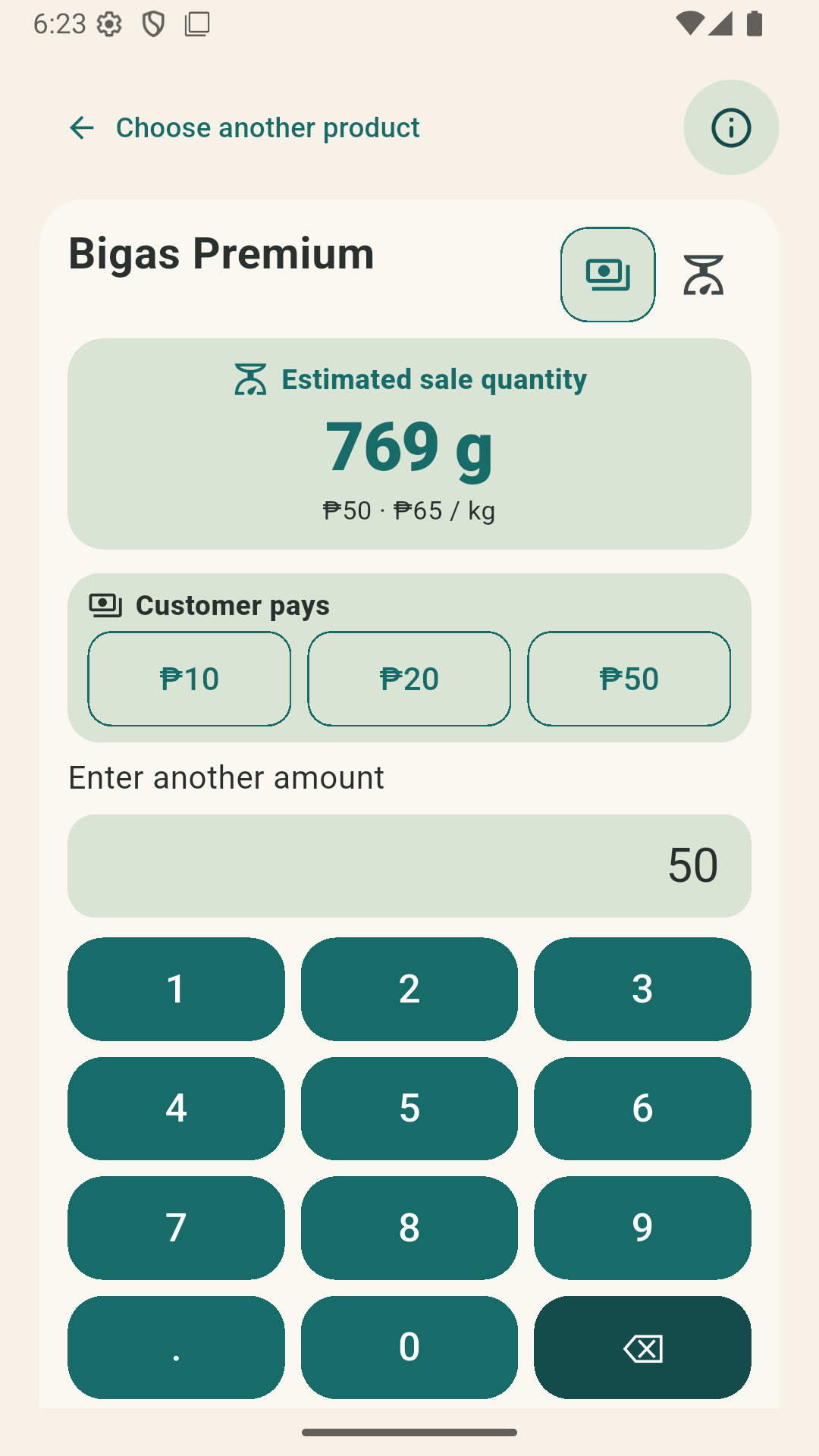
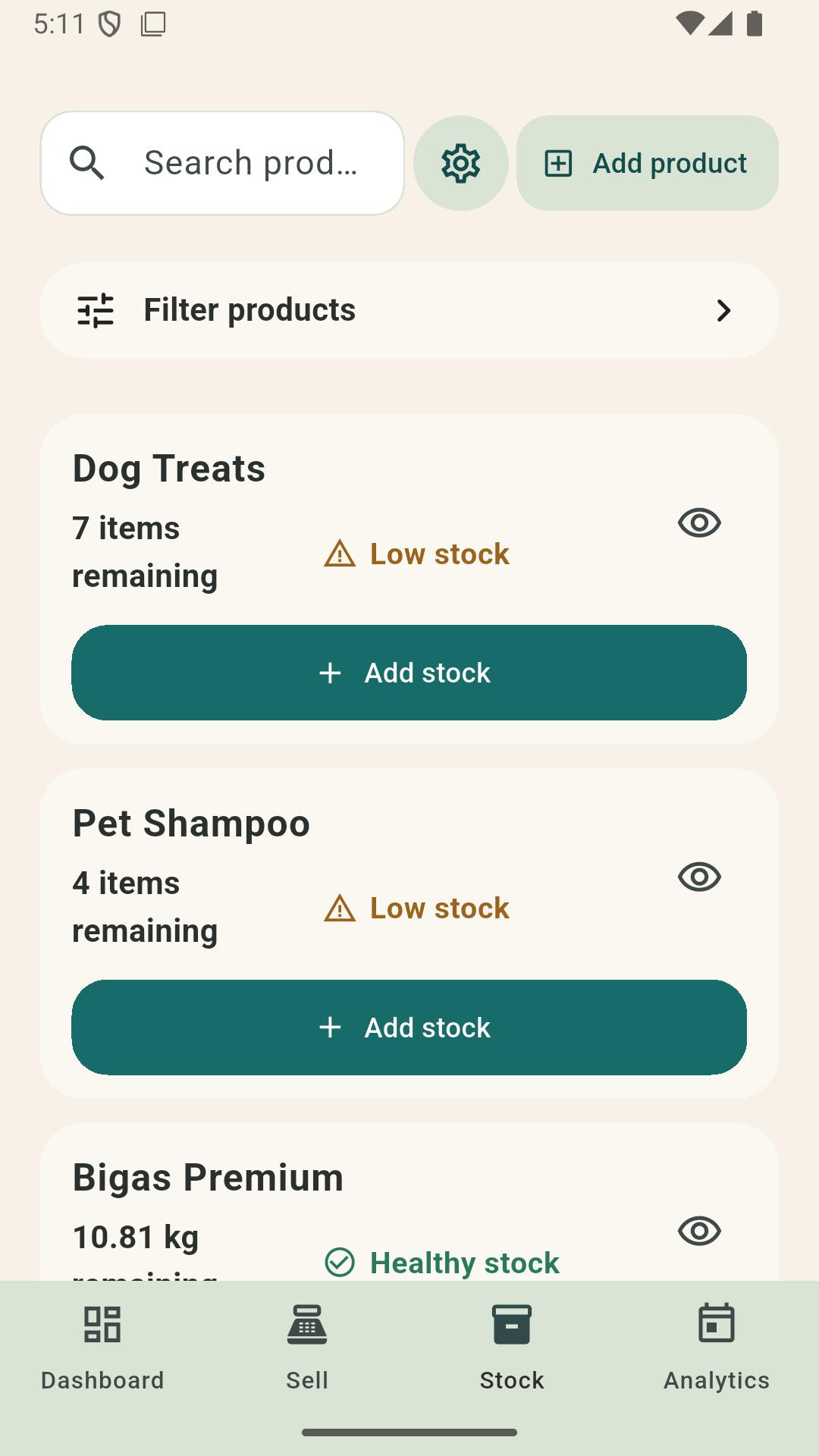
Dashboard brings gross sales, sales count, estimated profit, and low-stock signals together.
Browse popular products and sell by a simple unit or by the kilogram.
Rice translates a customer’s ₱250 budget into an estimated 3.846 kg before the sale is added to the cart.
See healthy, low, critical, and out-of-stock states while deciding what needs attention.
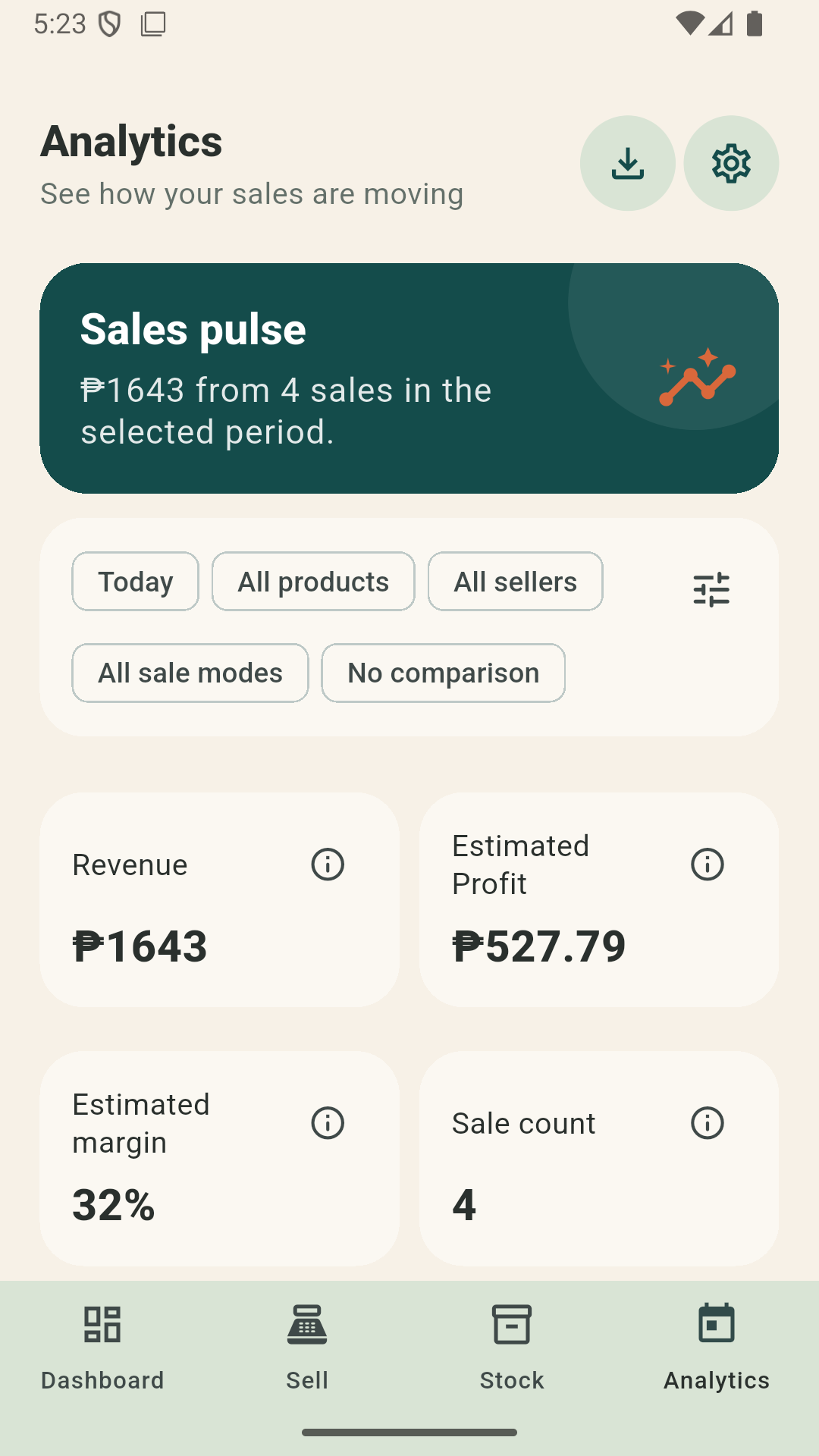
Analytics connects revenue, estimated profit, margin, sale count, and quantity into a useful picture.
These are real screens from the current iOS app build using sample data; no customer information is shown.
Real shops do not always sell in neat, standard-sized units. Kambal Tingi follows the quick translation from what a customer can spend to what you can hand over.
The useful part is not only recording a sale. It is having a clearer answer when you decide what to check, what to restock, and how the day went.
Here’s how Kambal Tingi fits into busy handoffs, incoming stock, and end-of-day checks at a small shop.
Choose dog food, rice, or another product, enter what the customer can spend, and see the amount to hand over. Add a few items to one sale, record cash or utang, and keep the sale, stock, and customer balance together.
Invite family or staff, then choose manager, seller, or viewer access. Everyone works from the same store catalog and records, with actions limited by their role. Team sales join shared records when synced; owners and managers can change roles or revoke access.
Record sales and stock changes on the device, then let optional cloud sync catch up when it reconnects. If your account has access to a second business or family shop, switch to it in the app and see that store’s records on an authorized device.
Cloud sync needs an account and internet access. Updates can be delayed or unavailable when the connection or service is down.
Photograph a product or stock list for optional AI scan suggestions, review each item, then confirm new products or restocks. At closing, check sales, estimated profit, and low-stock alerts; export business data or keep a separate local backup. Use English or Filipino and choose light or dark mode.
Kambal Tingi is available on both the Apple App Store and Google Play. Choose the store for your device to get started.
The app is continuing to improve. Features and availability may change as the product develops; keep independent records for business-critical information.
Kambal Tingi is built to make everyday selling easier to see. The core features are free today and are intended to remain free as the product grows.
Sales, stock, and the everyday tools that matter are free to use. Some features have limits as the product continues to grow.
Supported shared-store features can require an account and network access. Synchronization may be delayed or unavailable.
Kambal Tingi helps with selling, stock, analytics, and exports. It is not a bank, payment processor, accounting system, or tax adviser.
No. Kambal Tingi is free to use today, and the core features that matter are intended to remain free in the future. Some capabilities have limits, including AI stock scanning and business seats; those limits may be explored and adjusted as the product develops.
The app is still evolving. Keep independent records or backups for business-critical information, and review the Terms before relying on it for important decisions.
Sales and stock updates are recorded locally first, so you can keep working offline. Optional cloud synchronization needs an account and a connection; it may be delayed or unavailable. Export business data or keep a local backup separately for your own records.
Use the contact link in the footer, or read the Privacy Policy, Terms, and account deletion guidance.
I build calm, useful tools around the way people actually work. Kambal Tingi started with a family-run shop where a sale might begin with a customer’s budget rather than a fixed quantity.
A Small Levers project, built by Adrean Palafox.
Read the Kambal Tingi story More about my work